dupeGuru vs CrateSweep for Serato Duplicates (2026)
dupeGuru is free but doesn't know Serato exists. What each tool catches, what deleting files does to your crates, and which is safer for DJs.

Search for a free duplicate-file finder and dupeGuru comes up for good reason. It’s open source, runs on macOS, Windows, and Linux, has a music mode that compares audio tags and contents, and does fuzzy filename matching. Sounds close enough to what a DJ needs — so the obvious next move is to point it at your music folder and let it rip.
Here’s the problem with that move, and it has nothing to do with whether dupeGuru can find repeated files. It can. The problem is that a Serato library isn’t a folder of files — it’s a folder of files plus a database that points at them. dupeGuru has never heard of Serato’s database V2 or your crates. When it deletes an audio file, the Serato entry pointing at that file stays behind and turns orange — and the duplicate entry you were trying to get rid of is often still sitting right there in your library.
Delete duplicates with a Serato-blind tool and you can end up with the worst of both: fewer files, same cluttered search results, plus a new batch of orange tracks. This comparison is about that boundary — generic file cleanup versus Serato-aware library cleanup — and which side of it your problem is on.
What dupeGuru is
dupeGuru is a free, open-source duplicate-file finder from the Hardcoded Software lineage, running on macOS, Windows, and Linux. Its music mode scans audio tags and contents, and fuzzy filename matching helps with inconsistently named copies.
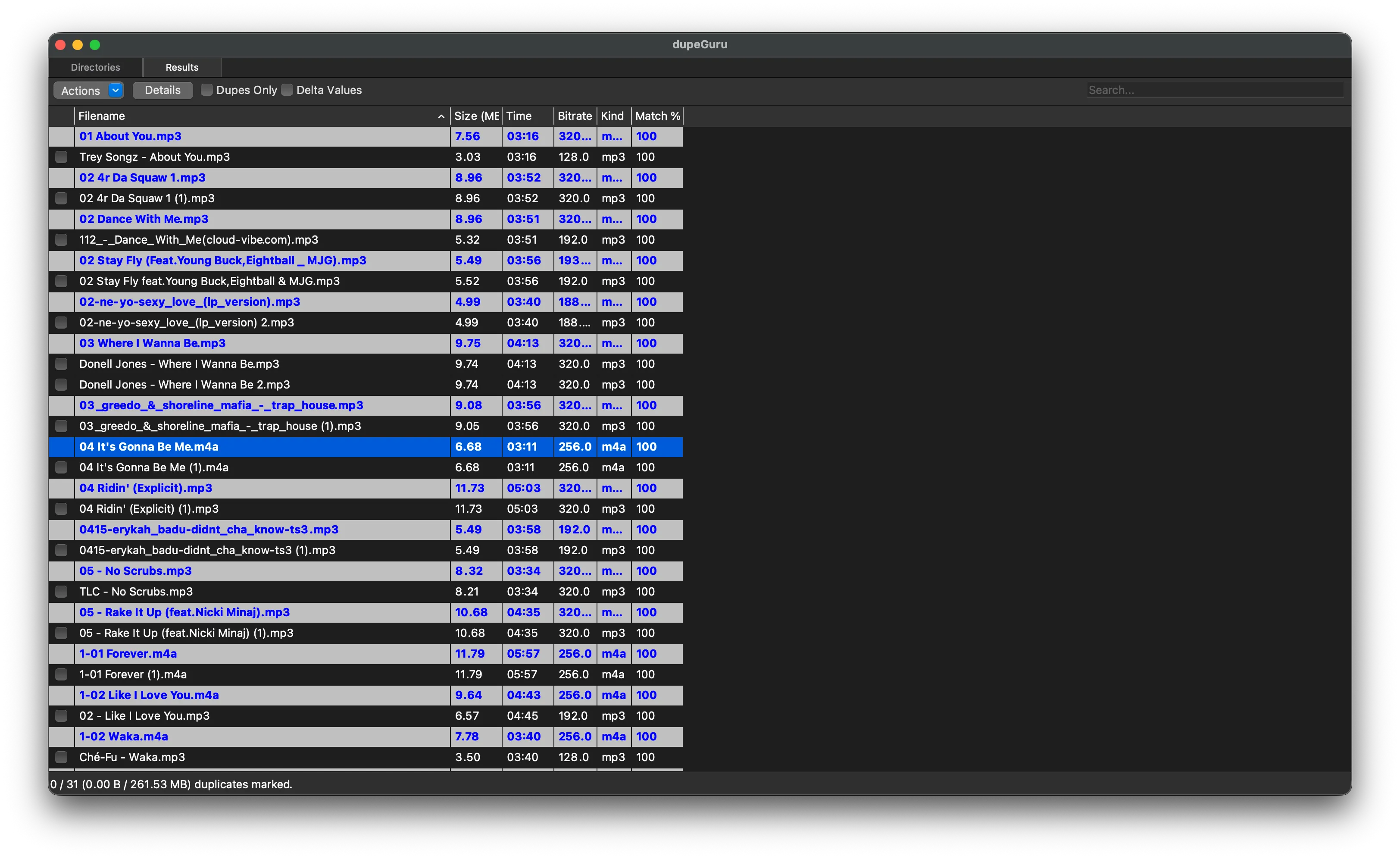
Worth knowing before you rely on it: the last stable release was 4.3.1, back in July 2022. The project is community-maintained with minimal development since.
None of that makes it useless — for general duplicate files, a free tool with a clear job is genuinely handy. The trouble only starts when another application is keeping its own database of the files dupeGuru is deleting. Which is exactly what Serato does.
The core problem: files are not library entries
Serato records every track in database V2, inside the _Serato_ folder. Those records point at file paths, and your crates point at the records. Three layers: crates → entries → files.
dupeGuru only sees the bottom layer. So walk through what actually happens: you have two Serato entries for the same track, each pointing at its own copy of the file. dupeGuru correctly spots the two files as duplicates and deletes one. Nobody told database V2 — so Serato still has both entries. One now points at nothing and goes orange. The other still plays. Your search results still show two of the track, except now one of them is broken, and your SSD is the only thing that got cleaned.
That’s the trap in the generic advice to “just run a file dedupe tool over your music folder.” Finding duplicate files is half the operation. The other half — cleaning up the library records — is the half dupeGuru structurally can’t do.
Why deleted files turn orange in Serato
An orange track means Serato has an entry whose saved path no longer resolves. When dupeGuru removes a file, Serato isn’t part of the decision — the next time it looks for that path, nothing’s there. Entry stays, track goes orange.
Crates don’t route around it either; they reference the entries, and dupeGuru can’t see or update those references.
If you’ve already done this to your library, fix it before anything else: repair the orange missing files first, because a duplicate pass that compares a playable copy against a missing one is working with bad information. Then use the manual removal guide to see the safe two-part process — remove the unwanted entry in Serato, then make sure the file you delete in Finder is the one that belonged to it.
dupeGuru can’t choose with DJ context
There’s a second gap, after matching: deciding which copy to keep.
Two files can hold the same music while the two library entries are far from equal — one has 40 plays, your cues, and lives in a dozen crates; the other is a zero-play re-download in Downloads. dupeGuru can’t see play counts, cues, or crate membership, because those live in Serato’s database, outside its world. It can tell you the files match; it can’t tell you which one your library actually depends on.
For loose files nobody’s DJ software is tracking, that gap doesn’t matter. For a working Serato library, it’s the whole decision.
What CrateSweep does differently
CrateSweep starts from the top of the stack instead of the bottom: it reads the Serato database directly and works with the same library entries Serato uses.
Three scan modes cover the range — Exact for true duplicates, Similar for renamed copies and re-downloads, All Versions for grouping clean, dirty, instrumental, and remix takes. Results come grouped with each copy’s play count and bitrate, so you’re choosing with the DJ context dupeGuru can’t see. Smart Select pre-ticks the lower-value copy in each group, and every pick is overridable.
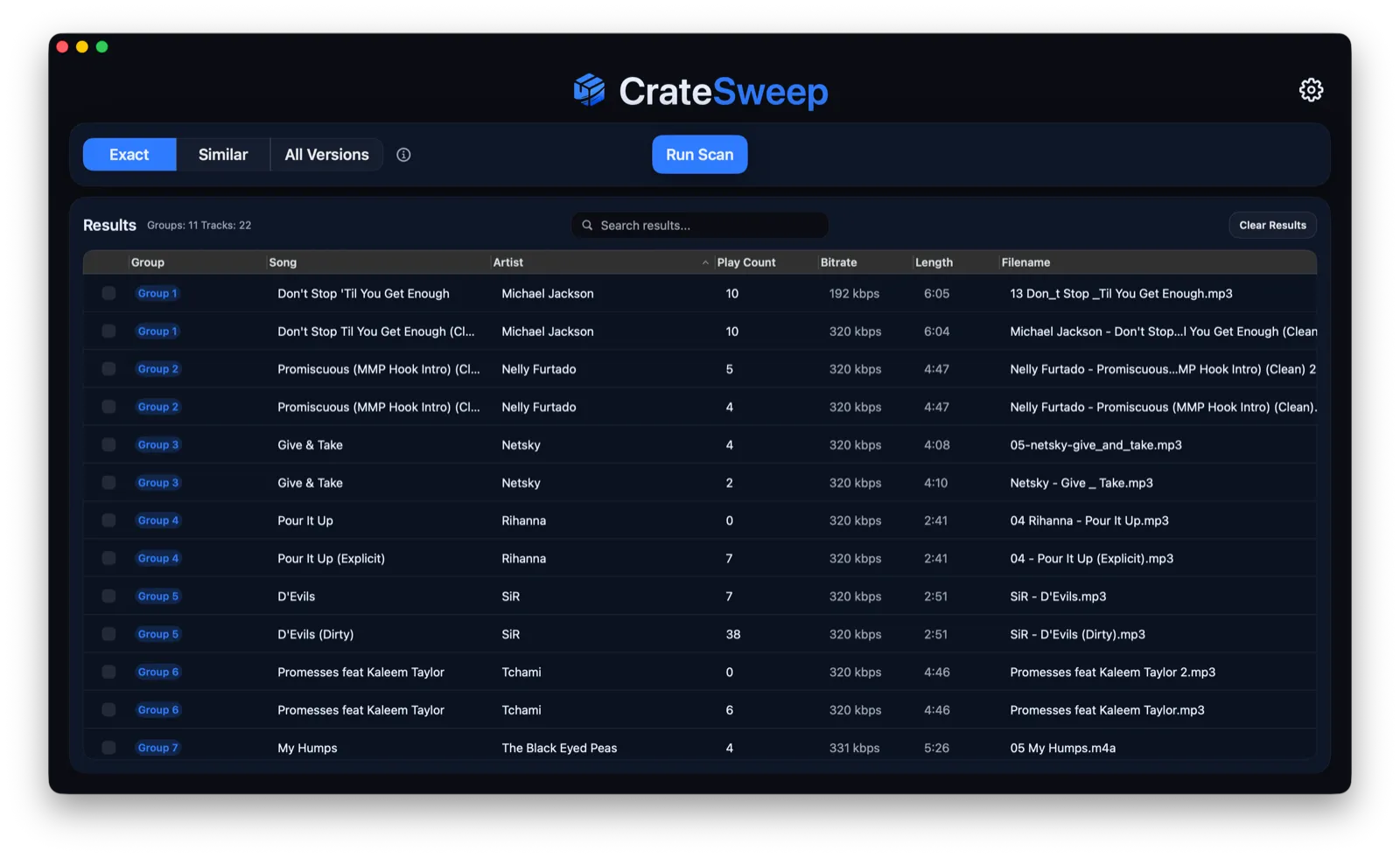
The deletion step is where the difference really shows: CrateSweep removes the Serato library entry and moves its audio file to the macOS Trash together, as one operation — so a deletion can’t leave an entry pointing at a missing file. Before any run it takes an automatic timestamped backup of the Serato database, with one-click restore, and the files sit in the Trash rather than being hard-deleted.
Scanning and review are free; deletion is $19 once, no subscription. Limits, stated plainly: macOS Sonoma 14.0+ only (Apple Silicon and Intel), Serato DJ v4+ only. It’s not a general file finder for Windows, Linux, photos, or your Downloads folder — that’s dupeGuru’s territory.
When dupeGuru is the right tool
When the job really is generic file deduplication, use dupeGuru and don’t overthink it. Photos, a bloated Downloads folder, loose music no DJ app is tracking — a free, cross-platform tool with music-mode matching is a fine fit, and it’s the genuine zero-budget option.
Just keep the scope honest: a folder cleanup and a Serato library cleanup aren’t interchangeable. If the files show up in Serato, back up first and know what deleting them does to their database entries — because dupeGuru won’t.
dupeGuru vs CrateSweep
| dupeGuru | CrateSweep | |
|---|---|---|
| Main job | General duplicate-file finding | Serato duplicate cleanup |
| Price | Free, open source | Free scan and review; $19 one-time deletion license |
| Platforms | macOS, Windows, Linux | macOS Sonoma 14.0+, Apple Silicon and Intel |
| Matching | Music mode (tags and contents), fuzzy filenames | Exact, Similar, All Versions scans of the Serato database |
| Serato database awareness | None | Reads and updates the database directly |
| Crate awareness | None | Works on the library entries crates depend on |
| Selection context | File attributes only | Play count and bitrate, overridable Smart Select |
| Result of deletion | Can leave orange entries and surviving duplicates | Entry removed and file trashed together |
| Backup | None for Serato | Automatic timestamped database backup, one-click restore |
Verdict
dupeGuru is a good free tool for the problem it was built for: duplicate files. If your mess is photos, downloads, or untracked music, use it.
For Serato duplicates, the file is only half the problem — the database entry and crate references are the half that decides whether your library actually gets cleaner, and dupeGuru can’t see them. Deleting through it trades a duplicate file for an orange entry while the duplicate record survives.
CrateSweep is safer for this specific job because it starts where the problem lives: in the Serato database. It matches with DJ context, keeps the entry and file together at deletion, and backs up before touching anything. And since the scan is free, you can see everything it finds in your library before deciding whether the cleanup is worth $19.
Comparing against a paid library hub instead of a free file tool? That’s a different decision — read Lexicon vs CrateSweep.
CrateSweep for Serato
Sweep your library in minutes
Find duplicate tracks, review every match, and keep your Serato crates clean before your next set.
Download Free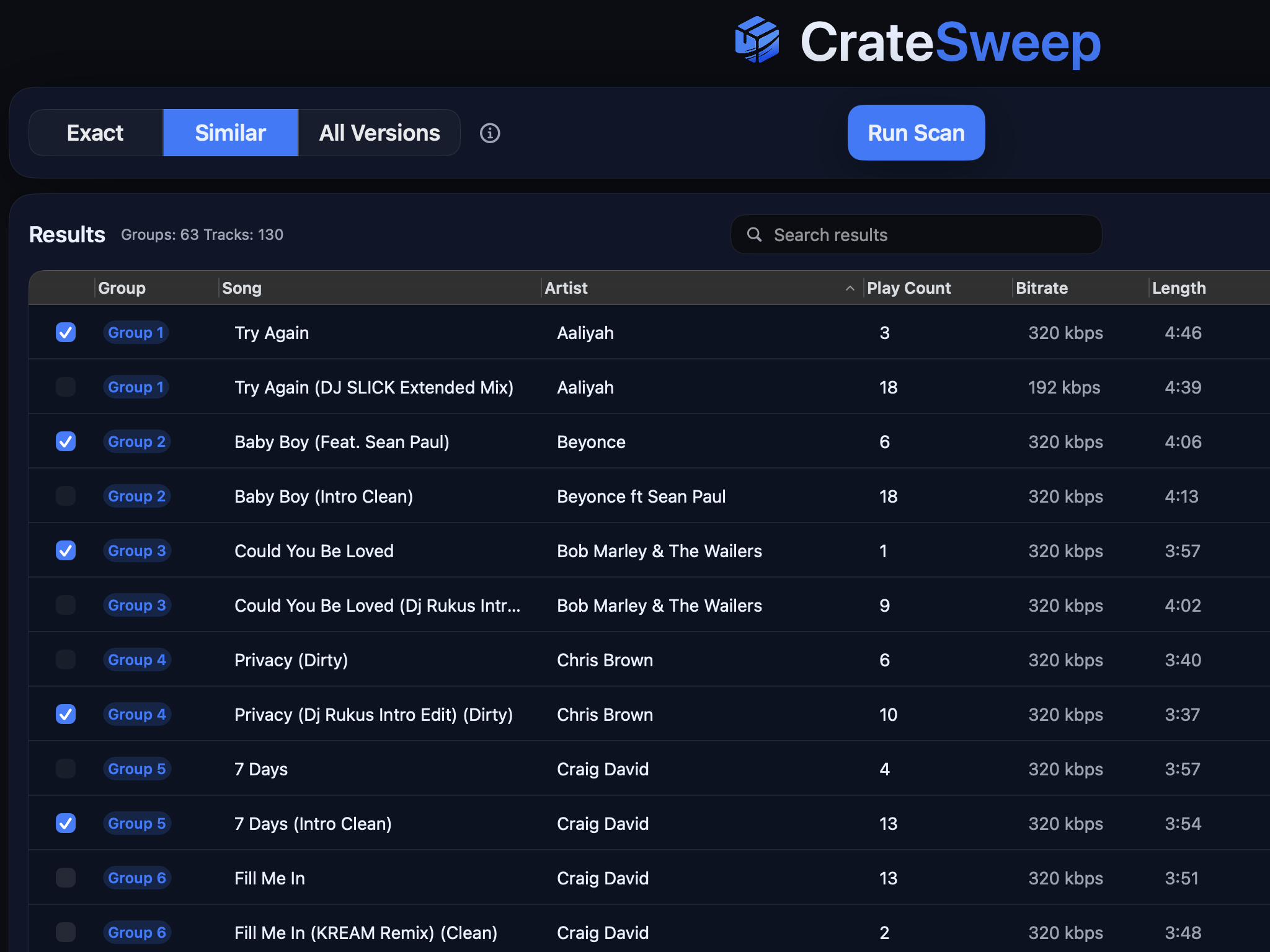
Related guides
Crate Hackers Review 2026: Is It Worth $30/Month?
What Crate Hackers actually does, who the curated crates help, where it falls short, and why crate-building works better on a clean Serato library.
Lexicon vs CrateSweep for Cleaning a Serato Library
Lexicon and CrateSweep both find duplicate tracks, but they're built for different jobs. Pricing, workflow, and which to use for Serato cleanup.
Lexicon DJ Review 2026: Features, Pricing, Alternatives
An honest Lexicon DJ review for 2026: what the library manager does well, what it costs, and when a focused Serato cleanup tool is the better fit.